


The Evolution of Chevrolet Infotainment
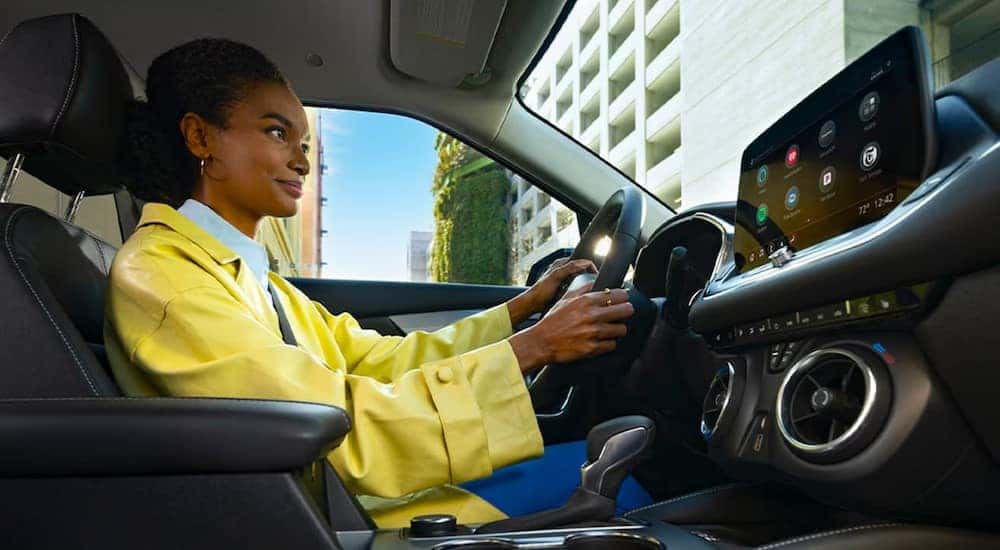
For many, sliding into the driver’s seat, pushing a button for the car to start, and having instant connectivity between the car and their phone is second nature—as if it’s always been that way. However, that’s not the case. In fact, there was a time when drivers couldn’t even imagine listening to music in their cars, let alone having the capability of connecting to a smartphone for on-demand entertainment and navigation. That’s right, early drivers didn’t see the need to be entertained during the drive, which meant there was no reason for car manufacturers to consider radios when designing the first vehicles.
However, in 1922, that all started to change when Chevrolet introduced the first car radio. Unfortunately, its clunky design—it wasn’t even part of the dash—and expense didn’t cause many drivers to line up to buy it. Many things have changed since 1922, as seen when visiting our team at Riverton Chevrolet, your local used Chevy dealer near Midvale. Today, Chevrolet offers a wide array of entertainment and information you can access from its infotainment systems, which might make you wonder how we’ve advanced from back then to now and where technology might take us in the future. Continue reading to learn more.
Infotainment Systems Over the Years
Before we look at the latest infotainment systems, let’s look at some of the innovations that have graced the car dash through the years, starting with the 1940s. After radios became more common in the 1930s, the 1940s and 1950s introduced the chance to preset radio stations using push buttons. Of course, to find those stations, you needed to turn the dial, sifting through static to hone in on local stations. Yes, that meant that whether you liked the music or not, that particular station might be your only choice.
Being stuck with whatever came through all changed in the 1960s when the eight-track player was introduced. This meant that you could listen to your favorite music as you drove to work or the store. In the 1970s, cassette players took the place of the eight-track, and in the 1990s, CD players became common. Today, many vehicles still offer the ability to play CDs, but it’s rare to find one with a cassette player—and if you find one with an eight-track player, it’s likely to be a restored system in a classic car.
It wasn’t until the early 2000s that systems resembling what you might find in today’s vehicles were introduced. These systems offer the ability to listen to the radio, play CDs, and drive around Midvale with all your favorite entertainment. Advancements continued in the following years, leading to the systems we’ve come to expect. Those advancements included the debut of Chevrolet MyLink in certain 2012 models. However, the MyLink system wasn’t available in all Chevrolet models until 2017.
Chevrolet MyLink
When Chevrolet MyLink became standard in 2017, it offered a small touchscreen that was located above the radio. It gave drivers the opportunity to access certain navigation and entertainment features, as well as the chance to connect compatible phones using Bluetooth. The main purpose of the system was to allow drivers to focus on the road rather than on connectivity and entertainment. However, the touchscreen was easy to access and use, even responding to voice commands, which left drivers—and Chevrolet—wondering what more it could possibly do.
Chevrolet Infotainment 3
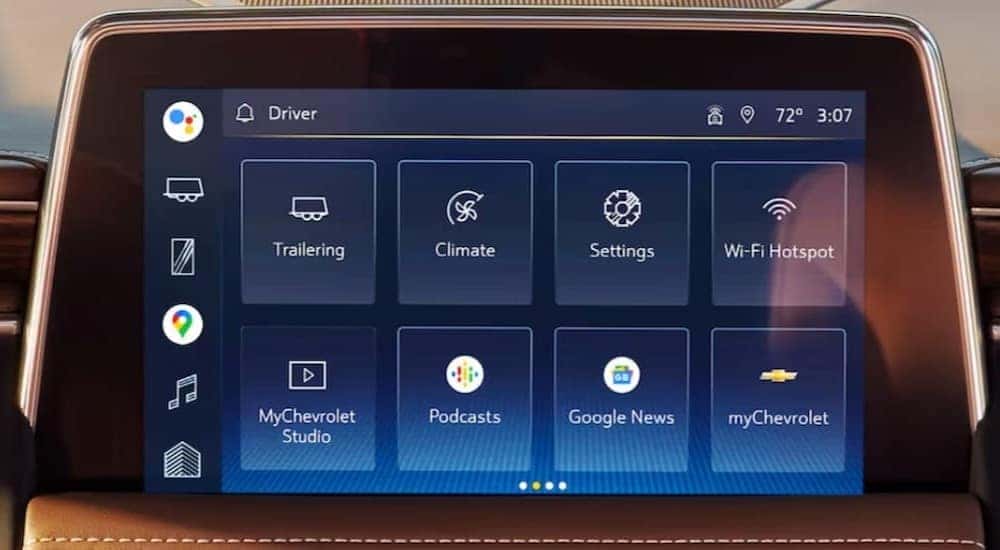
Today, you’ll find the Chevrolet Infotainment 3 system in all Chevrolet 2019 models and newer, although you may still hear the MyLink name used. When it was initially introduced, it offered a standard seven-inch screen, although that size has increased over the years depending on your vehicle choice and trim level. For instance, you can find a 10.2-inch color touchscreen that gives you AM/FM stereo, a wireless connection to Apple CarPlay and Android Auto, voice recognition and commands, and the ability to personalize your experience in the 2024 Chevrolet Blazer. Interested in navigation as well? You can find it in the premium version of the system, which is available for certain trims.
You’ll gain even more connectivity when opting for vehicles such as the Tahoe, which offers Google Built-In, enhancing your experience even more. This system gives you the ultimate personalization, letting you access Google Assistant to set reminders, change the temperature in your vehicle, transfer maps from your phone to the navigation system, and more. The Infotainment 3 system is also where you can access much-needed driving support, whether you’re hauling the family camper or just running errands around Midvale. This support comes in the form of a variety of camera views and advanced trailering features that are available across the Chevrolet lineup.
myChevrolet App
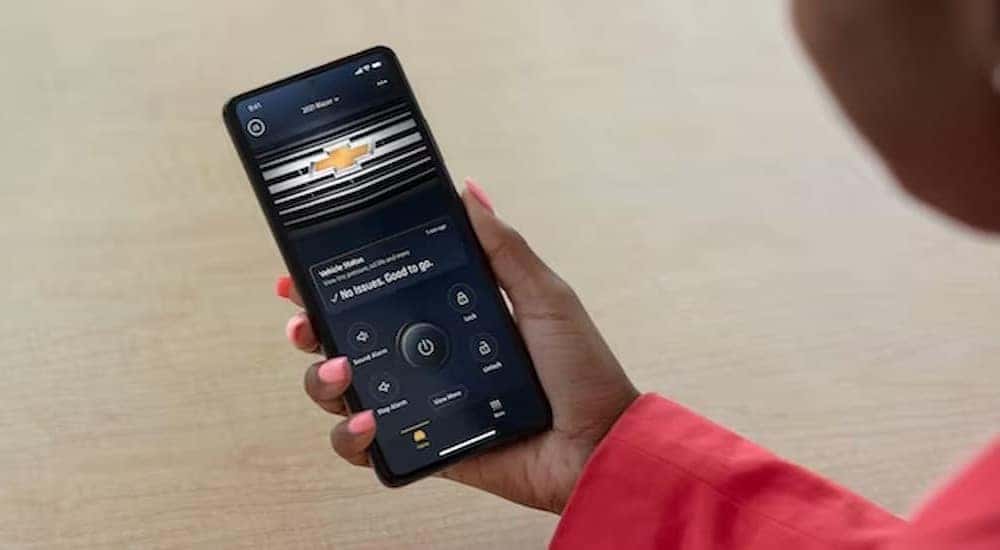
For many modern Chevrolet models, you can also utilize the myChevrolet app to work in conjunction with your vehicle and the infotainment system. Beyond transferring maps from your phone to your vehicle, as mentioned above, you can also gain valuable information about vehicle diagnostics, remotely start your vehicle when appropriately equipped, confirm trailering settings are working correctly, and more. When visiting our dealership, we can review what infotainment options are available for each model to ensure you get the connectivity you need, whether you commute into Salt Lake City and want easy access to your favorite podcast or you want the added confidence that you gain from a large screen and multiple camera views while hauling the family camper.
Aftermarket Upgrade Options
The Chevrolet Infotainment 3 System can be upgraded as new versions come out, but if you drive an older model or buy a used Chevy, you might be interested in what aftermarket upgrade options you have. One of the most sought-after aftermarket upgrades might be adding navigation. You can find upgrade options for a variety of models, including Chevrolet’s truck lineup, which allows you to remove the existing module and replace it with one that includes a GPS navigation system.
Wondering if the upgrade is worth it? The general consensus among Chevy owners is that it is. They like the ease of use and the ability to personalize the system for their needs. Plus, the seamless connection to Apple CarPlay and Android Auto means they have access to their favorite apps and more with just the simple push of a button.
Check Out Our Chevrolet Lineup Today
If you’re curious about how the Chevrolet Infotainment 3 system can enhance your drive in Midvale and beyond, stop by and talk with our team at Riverton Chevrolet today. We can walk you through each of the features to assist you in choosing what options might be best for you and help you narrow down your choices regarding a vehicle overall. We can also help you understand the link between the myChevrolet app and the infotainment system so that you can use it to its highest potential.
Our team strives to provide you with an extensive inventory of new and used Chevrolets, as well as outstanding customer service, whether you’re buying a new vehicle or bringing your Chevrolet in for preventive maintenance at our state-of-the-art service center. Stop by today to see how we can help you not only find the right vehicle for your needs but also understand how that vehicle can enhance your drive.
Does Chevy Have Apple CarPlay and Google Built-In?
Yes. Most modern Chevrolet models come with Apple CarPlay and Android Auto, and many recent trims offer wireless Apple CarPlay and wireless Android Auto so you can connect without plugging in. Chevy’s infotainment has evolved from the earlier Chevrolet Infotainment 3 system to a newer Google built-in experience, which brings Google Maps, Google Assistant, and apps from Google Play directly to the dashboard on equipped models. Availability varies by model and trim (confirm current-year equipment), so if seamless smartphone connectivity is a priority, our team at Riverton Chevrolet can point you to the trims that have exactly what you want.
System version-timeline table
| System Generation | Era (confirm dates) | Key Features |
|---|---|---|
| Chevrolet MyLink | ~early-to-mid 2010s (confirm dates) | Early touchscreen infotainment; introduction of smartphone integration and connected features on many models |
| Chevrolet Infotainment 3 | ~late 2010s–early 2020s (confirm dates) | Responsive touchscreen; Apple CarPlay and Android Auto (wired, with wireless on many trims); available Wi-Fi hotspot; over-the-air update capability on equipped models |
| Google Built-In | ~early 2020s–present (confirm dates) | Google Maps, Google Assistant, and Google Play apps native to the dashboard; wireless Apple CarPlay and Android Auto on many trims; over-the-air (OTA) software updates; subscription-based connected services |
(Feature availability depends on model, trim, and model year — confirm current-year equipment.)
FAQ
Does Chevy have wireless Apple CarPlay and Android Auto? Many current Chevrolet models offer wireless Apple CarPlay and wireless Android Auto, letting you connect your phone without a cable. Availability depends on the model and trim, so check the specific vehicle’s equipment or ask our team to confirm.
What is Google built-in on a Chevy? Google built-in brings Google Maps, Google Assistant, and apps from Google Play directly into your Chevy’s infotainment screen, no phone required for those features. You can get directions, control media, and use voice commands natively. It is available on many recent Chevrolet models (confirm current-year equipment).
Do Chevy vehicles get over-the-air (OTA) updates? Yes, many newer Chevrolet models support over-the-air software updates, which can add features and improvements without a trip to the dealership. Some updates and connected services may require an active subscription.
Are there subscription fees for Chevy connected features? Some connected services, such as in-vehicle Wi-Fi, certain Google built-in apps, and OnStar features, may require a paid subscription after any included trial period. Core functions like Apple CarPlay and Android Auto do not require a separate subscription. Ask us what is included with the model you are considering.
0 comment(s) so far on The Evolution of Chevrolet Infotainment